Plumbing software for work that can't wait.
Most of your calls are somebody standing in water. ZippCrew gets the nearest tech moving, gives them the history on the house, and closes the invoice before they leave the driveway.
Plumbing day
One day, start to finish.
How a plumbing shop actually runs a day in ZippCrew — the same software, told in your order of operations.
7:20 AM
Emergency in, tech out
A no-hot-water call comes in. Drop it on whoever's closest and the job is on their phone before you hang up.
8:45 AM
They know the house
The tech pulls up and already has the gate code, the shutoff location and the note about the crawlspace hatch.
10:30 AM
Two options, priced
Repair or replace, both priced from your own list, signed on the screen before any parts come off the truck.
2:00 PM
Permit, photos, paid
Photograph the finished install, attach the permit, take the card. Nothing to type up back at the shop.
Built for Plumbing
What Plumbing shops get out of it.
The board, on the day you're busiest
Move a job, and the tech's phone knows before they've put the van in gear.
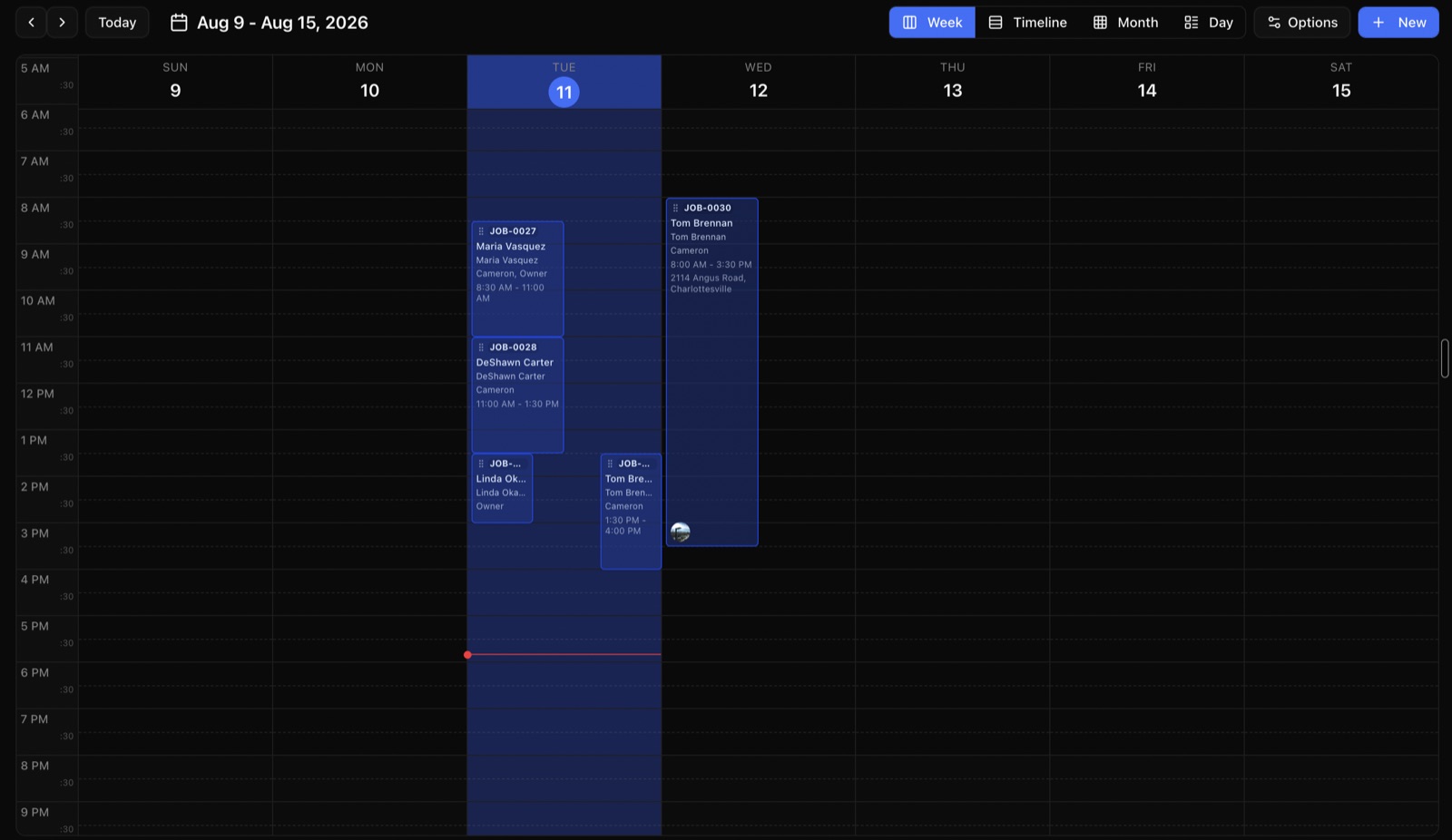
Dispatch by who's closest
See where everyone is on the map and send the job that can't wait to the person who can actually get there.
Two prices, one visit
Quote the patch and the proper fix side by side. The customer picks, signs, and it becomes the job.
Photos that end arguments
Before and after on every job, timestamped and attached, so nobody disputes the bill three weeks later.
Water heaters, softeners, fixtures
Model and serial on the unit with the install date, so the warranty question takes ten seconds.
In the field
Your techs get one screen.
Everything about the job in one place. Full offline job access is still in development, so uncached details and media need a connection today.
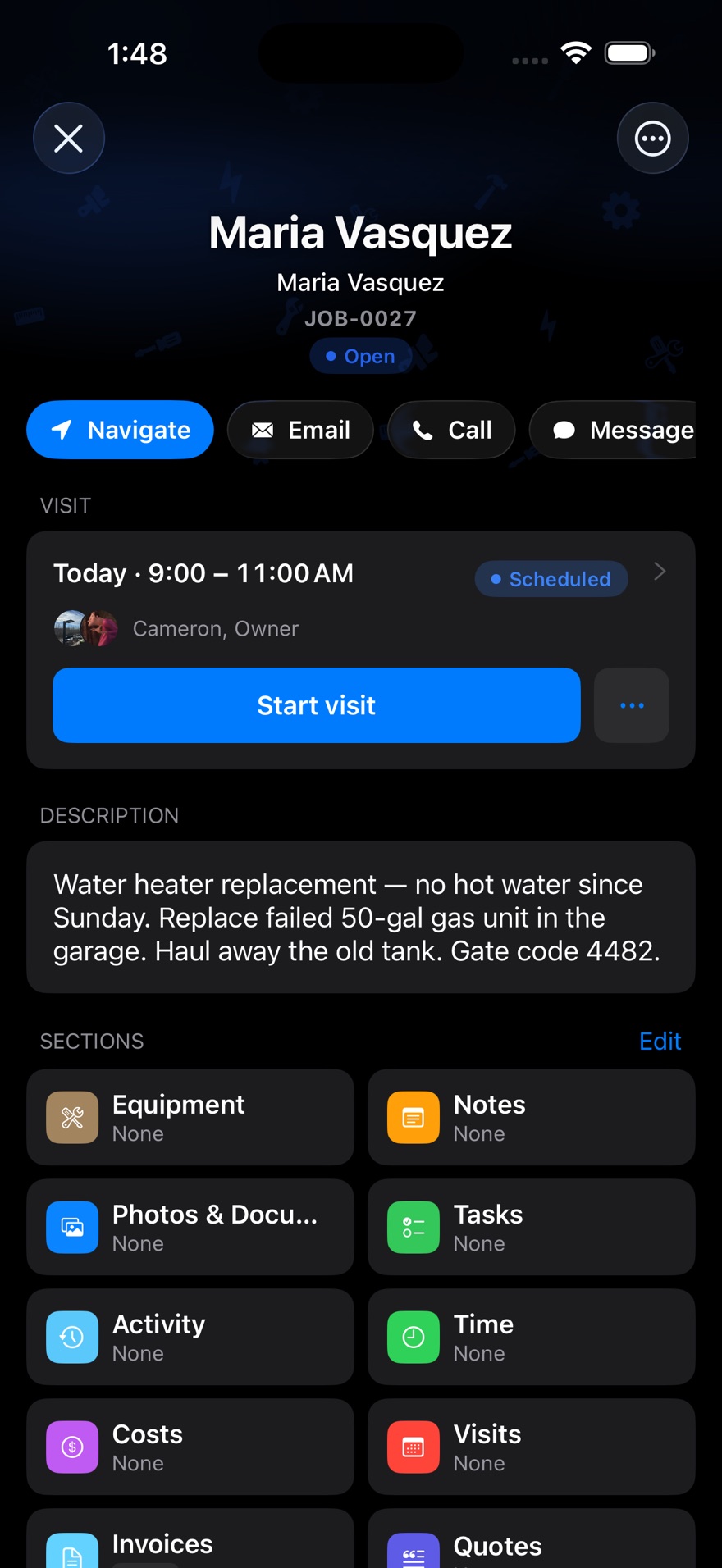
- The address and the gate code
- No calling the office to ask how to get in.
- Photos before and after
- Attached to the job, so the invoice never gets argued with.
- Hours that match the work
- Clock in on site and the location goes on the punch.
- Take the card at the door
- Tap to Pay on the phone they already carry.
Pricing
Same published price, whatever you install.
No quote form and no demo before you see a number. Every plan includes the whole job.
Starter
For solo operators getting started
$49/month
Includes 2 users
Start free trial- Jobs, scheduling & calendar
- Quotes & invoicing
- Card payments & deposits
- Customer management & portal
- Job templates & checklists
- Automated reminders & late fees
- Mobile app for iPhone & Android
2 users included · $29 per extra user
Professional
For small teams ready to scale
$149/month
Includes 5 users
Start free trial- Everything in Starter
- Time tracking & timesheets
- Clock in/out on site & overtime
- Recurring jobs
- Quote versions & signatures
- Equipment & asset history
- QuickBooks & spreadsheet export
- Your branding on PDFs
- Tap to Pay
- Activity & audit logs
5 users included · $29 per extra user
Business
For established operations
$299/month
Includes 10 users
Start free trial- Everything in Professional
- Inventory management
- Purchase orders
- Reports you build
- Two-way text conversations
10 users included · $29 per extra user
Questions
Plumbing shops ask us this.
Can I send the nearest tech to an emergency?
Yes. The map shows where everyone is and what they're on, so you can drop the emergency on whoever can actually get there and push it to their phone.
Can I quote a repair and a replacement together?
Yes. Put both on one quote from your own price list, and the customer signs for the one they want on the tech's phone.
Do photos and permits stay with the job?
Yes. Anything the tech photographs or uploads is attached to that job permanently, and it's all there when you need to prove what you did.
I'm a one-man shop. Is this overkill?
Starter is $49 a month and includes 2 users, so you and whoever answers the phone. You get scheduling, quotes, invoices, card payments and the app.
Can I take payment at the door?
Yes, with Tap to Pay on the phone your tech already carries — no card reader. That's on the Professional plan and up.
Other trades
Run more than one crew?
Put your own plumbing work in it.
Fourteen days free on the full plan. No card, and nobody calls you.
Start your free trialBuilt by people who ship ZippCrew — not a reseller.