HVAC software that survives a heat wave.
When the phone won't stop and every call is a no-cool, the schedule is the whole business. ZippCrew keeps the board straight, puts the unit's history in the tech's hand, and gets the invoice out the same day.
HVAC day
One day, start to finish.
How an HVAC shop actually runs a day in ZippCrew — the same software, told in your order of operations.
6:40 AM
Overnight calls triaged
No-cools that came in overnight are already on the board. Slot them around the maintenance visits you already promised.
9:00 AM
On the roof
The tech opens the job and sees the unit's model, serial, refrigerant type and what you replaced on it last August.
1:15 PM
Condenser quote, signed
Photograph the burnt contactor, price the repair from your own list, take the signature on the phone.
4:30 PM
Paid before the truck's back
Tap the card at the door. The invoice closes, and the month's figures download for QuickBooks when you're ready.
Built for HVAC
What HVAC shops get out of it.
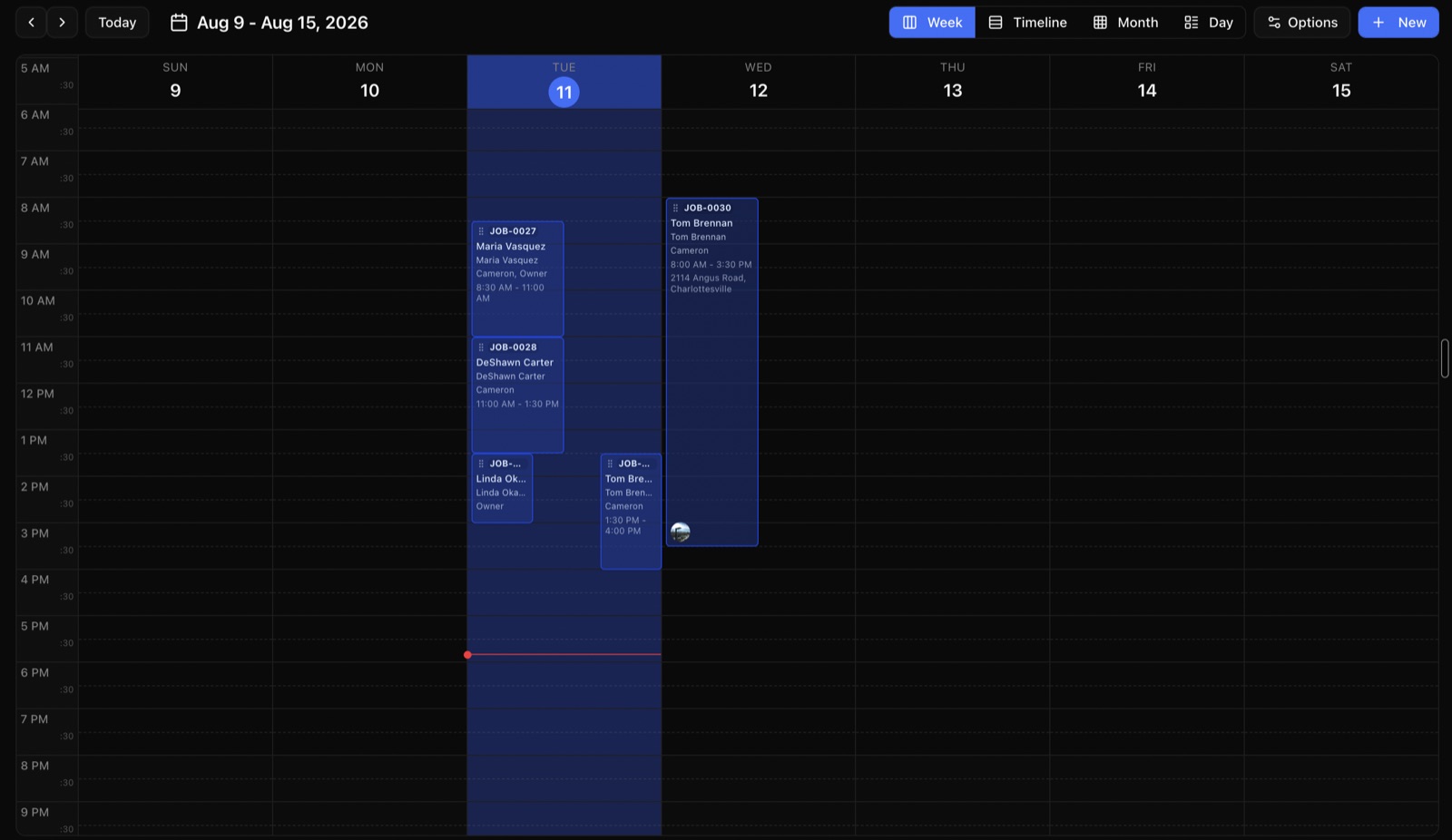
The board, on the day you're busiest
Move a job, and the tech's phone knows before they've put the van in gear.
Maintenance agreements that actually get done
Set spring and fall visits once and they land on the calendar every year, with the checklist attached.
Equipment history by serial
Scan the nameplate once. Every visit, part and warranty date stays with that unit, not in somebody's memory.
Refrigerant and parts on the truck
Know what's on each van before you promise a same-day fix, and reorder when it runs low.
Two techs, one attic
Put more than one person on a job and both see the same checklist, notes and photos.
In the field
Your techs get one screen.
Everything about the job in one place. Full offline job access is still in development, so uncached details and media need a connection today.
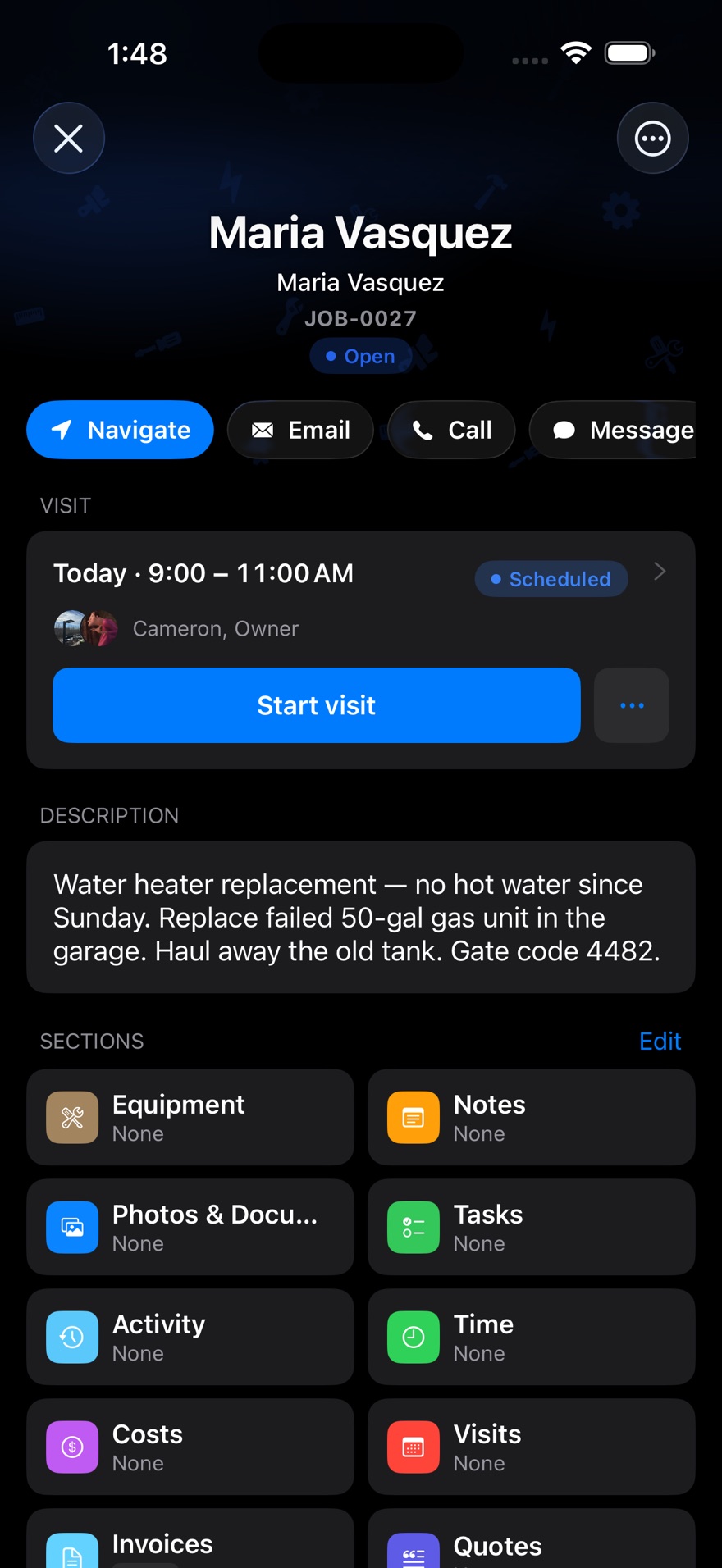
- The address and the gate code
- No calling the office to ask how to get in.
- Photos before and after
- Attached to the job, so the invoice never gets argued with.
- Hours that match the work
- Clock in on site and the location goes on the punch.
- Take the card at the door
- Tap to Pay on the phone they already carry.
Pricing
Same published price, whatever you install.
No quote form and no demo before you see a number. Every plan includes the whole job.
Starter
For solo operators getting started
$49/month
Includes 2 users
Start free trial- Jobs, scheduling & calendar
- Quotes & invoicing
- Card payments & deposits
- Customer management & portal
- Job templates & checklists
- Automated reminders & late fees
- Mobile app for iPhone & Android
2 users included · $29 per extra user
Professional
For small teams ready to scale
$149/month
Includes 5 users
Start free trial- Everything in Starter
- Time tracking & timesheets
- Clock in/out on site & overtime
- Recurring jobs
- Quote versions & signatures
- Equipment & asset history
- QuickBooks & spreadsheet export
- Your branding on PDFs
- Tap to Pay
- Activity & audit logs
5 users included · $29 per extra user
Business
For established operations
$299/month
Includes 10 users
Start free trial- Everything in Professional
- Inventory management
- Purchase orders
- Reports you build
- Two-way text conversations
10 users included · $29 per extra user
Questions
HVAC shops ask us this.
Can it handle maintenance agreements?
Yes. Set the visits once — twice a year, quarterly, whatever you sell — and ZippCrew puts them on the calendar with the right checklist each time. Recurring work is on the Professional plan and up.
Does it track equipment by serial number?
Yes, and your tech can scan the nameplate with the phone camera to fill in the model and serial rather than typing them. Every visit to that unit stays attached to it. Equipment records are on the Professional plan.
We run 6 techs. Which plan?
Professional includes 5 users, so you'd be on Professional plus one extra seat at $29 — $178 a month. That covers time tracking, clock in and out on site, recurring maintenance visits, equipment history per unit and QuickBooks export.
Will it work in an attic with no signal?
Only in a limited way today. Select field actions can wait to send, but uncached job details, photos and checklists still need a connection. Full offline support is in development.
Can I price a job differently for a builder than a homeowner?
Yes. Set up separate price lists and ZippCrew applies the right one automatically depending on the customer.
Other trades
Run more than one crew?
Put your own HVAC work in it.
Fourteen days free on the full plan. No card, and nobody calls you.
Start your free trialBuilt by people who ship ZippCrew — not a reseller.